Platform Features Labels Pricing Support About Contact Blog
Now Available

Scale Your Field Team.
Reduce the Admin Burden.

AXITRAQ brings quoting, jobs, people, equipment, purchasing and invoicing into one connected platform. Keep your office and field teams working from shared information, reduce repeated administration and gain a clearer view of your business.

Hosted in Australia on AWS Sydney + Melbourne for data sovereignty. United States and United Kingdom launching soon.

30-Day Free Trial
24/7 AI Support
iOS & Android Apps
Explore

Bring Your Day-to-Day
Operations Together.

Manage quotes, jobs, people, equipment and materials in one place. Keep field records connected to purchasing, invoicing and reporting, with less information to chase and fewer details to enter twice.

Quotes & Estimations

Build staged quotes from templates or past jobs, price labour, equipment and materials, and issue branded PDFs. Converting an accepted quote creates a pending job, with assignments and dispatch completed afterwards. Learn more

Asset Tracking & QR

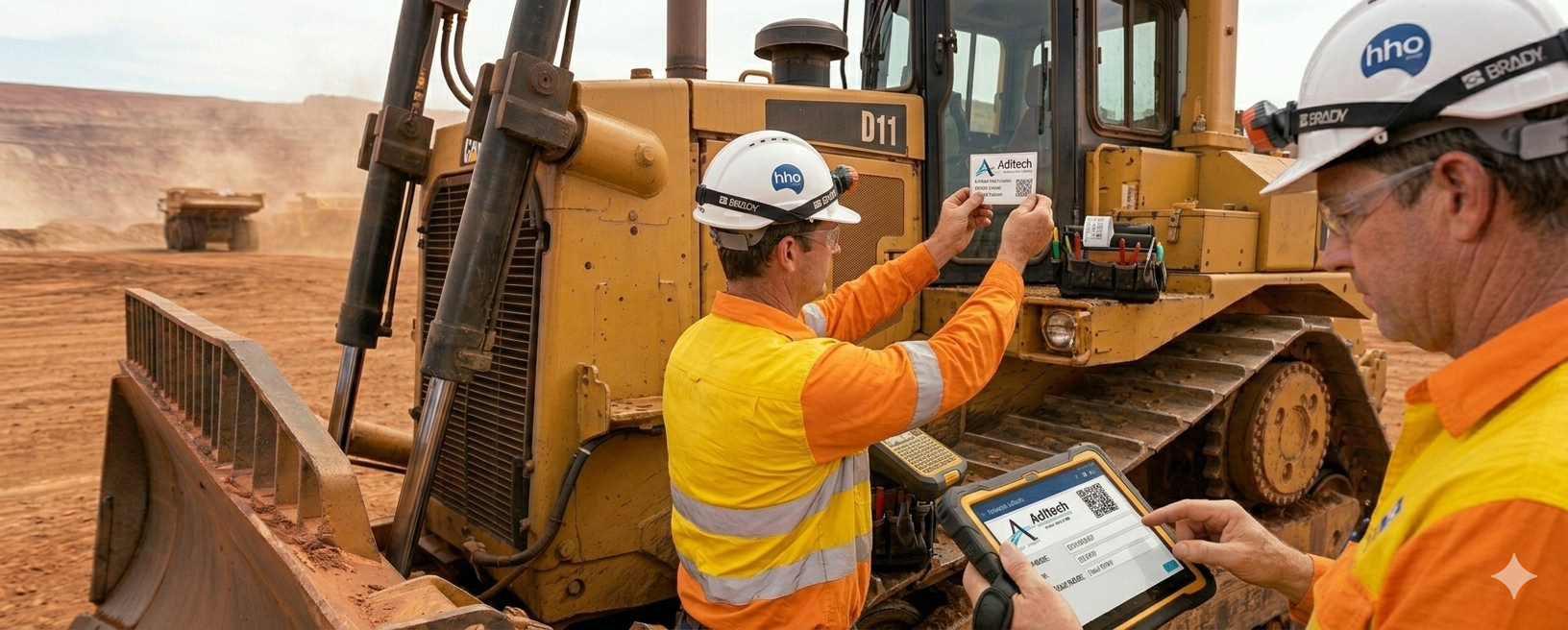
Scan QR codes and barcodes to instantly identify, locate, and manage any asset. Full lifecycle tracking from acquisition to disposal.

Smart Audit App

AI-powered iPad and tablet interface with image-to-data capture, object recognition, and nameplate OCR for serial numbers and compliance data.

Maintenance & Scheduling

Preventative and meter-based maintenance with drag & drop calendar scheduling. Stay on top of service intervals with automated alerts and work orders.

Parts & Materials

Track stock, suppliers and storage locations. Capture item details from uploaded supplier invoices, allocate materials to jobs and receive alerts when stock runs low.

Fuel & Cost Tracking

Log fuel and running costs against each asset for true cost-of-ownership reporting. A dedicated fuel tab on every asset and consumables tracked through Parts & Materials.

Inspections & Checklists

Customisable inspection templates with photo evidence, drawings, scanned documents, and digital signatures. Full audit trail on every check.

Employees & Qualifications

Keep employee details, qualifications, emergency contacts and timesheets together. Manage equipment access and prepare approved hours for payroll export.

Contractors

Manage contractors and their businesses. Track ABN, insurance, qualifications, timesheets, and asset permissions. Full GST handling and individual tracking.

Client Management

A full clients module with addresses, contacts, and payment settings. Link clients to jobs for end-to-end tracking from quote through to completion and invoicing.

Employee Rewards

Recognise and motivate your team with a built-in rewards-points program. Award points for safety, compliance and performance — visible to operators in the mobile app.

Jobs & Timesheets

Build jobs from accepted quotes or from scratch, then schedule with drag-and-drop calendars. Assign people, assets and materials; track hours and budgets in real time.

Reports & Analytics

Comprehensive reporting with exportable data. Asset analytics, compliance tracking, maintenance history, and custom report generation.

Asset Locator & Map

GPS-enabled map system to locate assets in real-time. Track movement, set geofences, and visualise your entire fleet on an interactive map.

Labels & Custom QR

Design and print custom asset labels with QR codes. Order PolyArt stickers, raised acrylic, or laser-engraved stainless steel tags for any environment.

Compliance & OHS

Complete SWMS, inspections and safety checklists using customisable digital forms. Capture supporting evidence and export records when needed.

Notifications & Alerts

Real-time notifications for maintenance due dates, inspection failures, stock alerts, vehicle licence expiry, employee ticket and card expiry.

Less Switching Between Systems.
More Work Moving Forward.

When quotes, schedules, timesheets and stock records sit in separate places, your team spends time keeping them aligned. AXITRAQ brings those daily workflows together, while connecting with your accounting and payroll systems.

Excel quotes
Quotes & Estimations
Whiteboard schedule
Jobs & Scheduling
Paper pre-starts
Inspections & Checklists
Personal phones & SMS apps
Dedicated Company SMS
Inventory spreadsheet
Inventory & Invoice Capture
Timesheet email chains
Timesheets & Payroll Export
Label vendor portal
Labels & QR Order Shop
Chasing tickets & expiries
Qualifications & Expiry Alerts
See the full outcome for owners — Scale your field team, reduce the admin burden →

Start Simply. Build at Your Pace.

Create your AXITRAQ account in minutes, then set it up around your business. Start with your priorities and bring more of your operations together as you go.

1

Create Your Account

Create your account and choose the plan that suits your organisation. Basic, Standard and Premium include a 30-day free trial.

2

Make It Yours

Add your team, assets and business details. Set up the workflows you need first, with room to build as you go.

3

Bring Your Operations Together

Connect quoting, scheduling, field work and invoicing. Roll out across your business at a pace that suits your team.

One Platform. A Clearer View of Your Operation.

Connected tools share the same people, assets and job information, helping your team keep records consistent and find what they need.

Quotes & EstimationsTemplates, past jobs → quote → job
Jobs & SchedulingDrag-drop calendar, QR start
Asset ManagementLifecycle, AI onboarding, QR
MaintenancePreventative & meter-based
Inspections & FormsPre-starts, SWMS, signatures
Parts & Invoice OCRInventory, POs, scan-to-stock
People & QualificationsContractors, tickets, expiry
Timesheets & Payroll ExportField time, approvals, export
Locate, Reports & Dash AIMaps, dashboards, AI assistant
Explore the full platform →

Plus Labels & QR, Messaging & Notifications, and enterprise-grade security on every plan.

Simple, Transparent Pricing

Choose the plan that fits your organisation. Basic, Standard and Premium include a 30-day free trial of that plan’s included features. Starter and Custom are billed from the start. Paid add-ons, such as the Integration API, are separate.

Monthly
Annual Save 15%
Starter
Sole operators and micro teams
$29 /month
ex GST
  • Offices 1
  • Departments 1
  • Admin/Managers 1
  • Employees / Operators 10
  • Contractors 5
  • Managed Assets 100
  • Parts / Materials 400
GET STARTED View full plan details →
Basic
For small teams getting started
$49 /month
ex GST
  • Offices 1
  • Departments 2
  • Admin/Managers 2
  • Employees / Operators 20
  • Contractors 10
  • Managed Assets 250
  • Parts / Materials 800
START FREE TRIAL View full plan details →
Premium
For large-scale operations
$199 /month
ex GST
  • Offices 4
  • Departments 8
  • Admin/Managers 8
  • Employees / Operators 80
  • Contractors 40
  • Managed Assets 1,500
  • Parts / Materials 2,800
START FREE TRIAL View full plan details →
Custom Plan
$199 /month
ex GST
Need more? Build exactly what you need with flexible resource sliders.
Get Started View full plan details →
Setup guide Planning Your AXITRAQ Setup Every business starts from a different place. You may be bringing across existing records, replacing several systems or setting up structured processes for the first time. The checklist below outlines the main areas to consider. Start with the workflows your business needs first and build from there. Expand Your Setup Checklist Hide Your Setup Checklist

1. Establish Your Account and Business Details

Create the foundation for your AXITRAQ account and confirm who will oversee the setup.

  • Nominate the Account Owner and the person coordinating implementation.
  • Confirm your business name, ABN, addresses and contact details.
  • Review account security, encryption and backup settings.
  • Add the offices, departments, sites and storage locations relevant to your business.

An authorised representative can establish the account and transfer ownership to the nominated Account Owner once the initial setup is complete.

2. Set Up Your People and Permissions

Decide who will use AXITRAQ and what each person needs to access.

  • Define employee types, such as administrators, supervisors and tradespeople.
  • Configure permissions for the relevant modules and actions.
  • Identify people who only need access to the Operations App.
  • Add employees and relevant contractor records.
  • Complete rate cards, qualifications and emergency contacts where applicable.

Check access with representative users before introducing the system more widely.

3. Bring Across Your Assets and Equipment

Choose the most practical way to establish your asset register.

  • Gather existing asset lists, equipment records and depreciation schedules.
  • Add assets through the web interface or use AI-assisted capture in the AXITRAQ Tablet App.
  • Discuss bulk imports with AXITRAQ Support where you have existing Excel, CSV or PDF records.
  • Check asset identifiers, descriptions, locations and supporting documents.

Review imported and AI-captured information before relying on it for day-to-day operations.

4. Organise Suppliers, Parts and Stock

Prepare the records that support purchasing, inventory and job costing.

  • Add suppliers, account references and contact details.
  • Configure applicable rate cards and default markup.
  • Add parts and materials manually, through invoice capture or via a supported accounting connection.
  • Check item codes, units, costs, storage locations and opening quantities.
  • Test representative supplier invoices and review the captured details.

If a supplier document is not captured correctly, submit it through the support pathway for investigation and testing.

5. Establish Clients, Rates and Templates

Prepare the information your team will use to quote and invoice consistently.

  • Add client contacts, billing details and site addresses.
  • Set client rate cards and qualification requirements.
  • Configure quote and invoice templates.
  • Add your approved branding and business details.
  • Generate sample documents to check their content and layout.

6. Build Your Forms and Checklists

Start with the records your team needs for its initial workflows.

  • Prepare job forms, pre-start checks and equipment start/stop checklists.
  • Create relevant inspections, SWMS and HR forms.
  • Include required fields and supporting evidence where appropriate.
  • Test forms with the people who will complete them.

AXITRAQ Concierge can help build and customise your initial forms and checklists.

7. Prepare Labels and Field References

Make it easy for your team to identify equipment and record materials used in the field.

  • Apply QR codes or barcodes to assets, tools and stock locations.
  • Create stock and asset catalogues for vehicles, workshops or offices.
  • Check that labels open the correct records.
  • Test scanning for asset activity and materials consumption.
  • Choose labels and printed materials suited to the working environment.

8. Test Your Workflows and Introduce Your Team

Run through representative tasks before expanding your rollout.

  • Create a quote, convert it into a pending job and complete scheduling and resource assignments.
  • Test forms, timesheets and materials allocations.
  • Review a supplier invoice through capture and approval.
  • Check customer documents, reports and any configured accounting or payroll exports.
  • Resolve outstanding issues and provide role-specific guidance.
  • Agree on the users and workflows included in your initial rollout.

You can introduce additional areas as your team and data are ready.

Keep Track as You Go

The implementation checklist within AXITRAQ lets your team record progress and notes, with visibility for the Account Owner. It also provides a lasting record of what has been implemented and when.

Want Help Putting It Together?

AXITRAQ Concierge provides hands-on assistance with data preparation, imports, configuration, forms, reports and team training. Choose support for specific tasks or work with us on a broader implementation.

Flexible Support. Clear Pricing.

Our standard rate is AUD $165 per hour, excluding GST, with weekly and project rates available for more extensive implementations. We agree on the scope and pricing with you before work begins.

Many straightforward initial imports can be completed at no charge when source files are suitably formatted. Contact AXITRAQ Support for a file review and confirmation. More extensive preparation, migration or customisation is scoped separately.
All prices are in AUD and exclude GST. GST will be added at checkout where applicable.
Every account includes an Owner role (consumes 1 Employee slot) with elevated permissions above Admin/Manager. Admin/Manager roles also each consume 1 Employee slot.
★

Enterprise Contact Us

For large organisations requiring full white-label re-branding, elevated systems integration, specialised API development for any standing platform, and full-stack development offerings. Tailored solutions built around your exact requirements.

White-labelCustom APIFull-stack DevDedicated SupportCustom Integration
Get in Touch
▣

Group Account Coming Soon

Manage and link several company accounts under one central dashboard. Full oversight of all sub-accounts with consolidated reporting, exports, and asset tracking across your entire portfolio.

You Know Your Business. We’ll Help You Set It Up.

Getting the full benefit of AXITRAQ takes more than creating an account. Your data, forms, reports and workflows need to reflect how your business actually operates.

Our team works directly with yours to plan and carry out that setup. From importing existing records and configuring supplier invoice capture to building checklists, tailoring reports and training your team, we help turn AXITRAQ into a working part of your business.

Start with help in a few key areas, or work with us on a complete implementation.

Secure remote assistance, with onsite consultation available in selected locations. Scope and pricing agreed around your requirements.

Two colleagues reviewing a dashboard on a laptop and printed records during an AXITRAQ setup session
View Full Feature Comparison
Feature Starter Basic Standard Premium Custom
Core Platform
Manager Dashboard✓✓✓✓✓
Audit App (Tablet)✓✓✓✓✓
Operations App (Mobile)✓✓✓✓✓
Reports & Analytics✓✓✓✓✓
Notifications & Alerts✓✓✓✓✓
Asset Locator / Map✓✓✓✓✓
Group AccountComing SoonComing SoonComing SoonComing SoonComing Soon
People Management
Employees & Qualifications✓✓✓✓✓
Contractors✓✓✓✓✓
Timesheets✓✓✓✓✓
Emergency Contacts✓✓✓✓✓
Employee / Contractor Location History✓✓✓✓✓
Asset Management
Asset Checklists & Procedures✓✓✓✓✓
Asset Images & Manuals✓✓✓✓✓
Compliance & OHS✓✓✓✓✓
Inspections✓✓✓✓✓
Asset Status Monitoring & Tracking✓✓✓✓✓
Jobs & Scheduling
Jobs Management✓✓✓✓✓
Calendar Drag & Drop Scheduler✓✓✓✓✓
Maintenance Schedules✓✓✓✓✓
Meter-Based Maintenance & Alerts✓✓✓✓✓
Maintenance Requests & Notification✓✓✓✓✓
Parts & Inventory
Parts & Materials Management✓✓✓✓✓
Vendor / Supplier Management✓✓✓✓✓
Parts Location Tracking✓✓✓✓✓
Stock Alerts✓✓✓✓✓
Parts Reports✓✓✓✓✓
Labels & QR
PDF Generator / Print✓✓✓✓✓
Custom Label Builder✓✓✓✓✓
Adhesive Sticker Labels (50×50mm)$2.20$2.20$2.20$2.20$2.20
Raised Acrylic Labels (40×90mm)$11$11$11$11$11
Stainless Steel Labels (50×50mm)$35$35$35$35$35
Integration & Export
Customisable Reports & CSV Export✓✓✓✓✓
Integration API (optional add-on)ExtraExtraExtraExtraExtra
Security & Compliance
Data Sovereignty & Retention✓✓✓✓✓
Customisable Permissions✓✓✓✓✓
2FA Token & SMS Authentication✓✓✓✓✓
Support
24/7 AI Support (Dash)✓✓✓✓✓
Priority Human Support———✓✓

Meet Dash, Your AXITRAQ AI Assistant.

Available around the clock to help you find features, understand workflows and work through everyday questions.

Help When You Need It.

Ask Dash how to set up a maintenance schedule, find a report or use a feature. Get guidance while you work, with access to human support when a question needs further attention.

  • Available around the clock
  • Help finding features and understanding workflows
  • Human support when a question needs further attention
  • Guidance while you work through everyday questions
D
Dash — AI Support
Online
How do I set up a preventative maintenance schedule for my fleet?
Dash
Great question! Head to Maintenance → Schedules and click "Add Schedule". You can set frequency by date interval or meter reading, assign it to specific assets or asset groups, and configure automatic notifications. Want me to walk you through each step?
Yes please, and can I set different intervals for different asset types?
Dash
Absolutely! Each schedule is tied to individual assets, so you can have weekly checks on vehicles and monthly inspections on generators. You can also use meter-based triggers for assets with hour meters or odometers.

Built in Australia,
for the World

AXITRAQ was born from real-world experience managing assets across industries. We built the platform we wished existed.

We understand the challenges of tracking thousands of assets across multiple sites, keeping maintenance on schedule, ensuring compliance, and giving your team the tools they need to work efficiently.

AXITRAQ is the result of years of hands-on experience distilled into a platform that's powerful enough for enterprise operations yet intuitive enough that your team will actually want to use it.

Your data is hosted in-region on AWS Sydney + Melbourne with full data sovereignty — your information stays secure and under your control.

Intuitive

A clear, consistent interface that helps your team learn the workflows they need and build confidence as they go.

Powerful

Enterprise-grade features that scale with your organisation as it grows.

Secure

Hosted in Australia with 2FA, encryption, and full data sovereignty compliance.

Supported

24/7 AI support plus dedicated human assistance when you need it most.

24/7
AI Support Available
100%
Australian Hosted
30
Day Free Trial

Frequently asked questions

Quick answers to what teams ask most about AXITRAQ.

What is AXITRAQ?
AXITRAQ is a turnkey, cloud-based operations platform for field businesses — covering quotes and estimations, jobs and scheduling, assets, inspections, parts and materials, people, timesheets, labels and reporting in one integrated system. It is built so owners can scale a larger, more productive field team while reducing the admin burden.
What can I track and manage with AXITRAQ?
You can manage the full commercial and operational loop: staged quotes and estimations (with convert-to-job), a complete asset register, maintenance and work orders, pre-start and safety checklists, parts and materials inventory, fuel usage, qualifications and compliance, manuals and documents, timesheets, jobs and scheduling, clients and contractors — with dashboards and reports across everything.
Does AXITRAQ include quotes and estimations?
Yes. Build professional, staged quotes using your labour, equipment and material pricing. Once accepted, a quote can be converted into a pending job or project with one click, carrying across its details and scheduling windows. Your team then completes resource assignments and dispatch.
Does the AXITRAQ mobile app work offline?
Yes. The AXITRAQ Operations app is built for the field — teams can scan assets, complete checklists, capture photos and record work with no connection, and everything syncs automatically once back online.
Where is my data stored?
Your data is hosted in Australia across multiple locations (Sydney and Melbourne) for performance and resilience, giving you full Australian data sovereignty. You can confirm your data region any time on the Company page inside the platform.
How much does AXITRAQ cost?
AXITRAQ has five plans: Starter at $29/month, Basic at $49/month, Standard at $99/month and Premium at $199/month (all ex GST), plus a Custom plan from $199/month where you configure your own limits. Basic, Standard and Premium include a 30-day free trial of the features included in that plan. Starter and Custom are billed from the start. Paid add-ons, such as the Integration API, are not included in the trial.

Get in Touch

Have questions about AXITRAQ? Want a personalised demo? We'd love to hear from you.

Let's Start a Conversation

Whether you want to simplify job management, bring your operations together or discuss a larger rollout, we’d be happy to talk through what your business needs.

Email
hello@axitraq.com
Phone
+61 485 030 771
Location
Australia
Support
24/7 via Dash AI
Thank you! We'll be in touch shortly.
Click to meet GrokBot

Many GrokBots make Light Work